Construction Profit Platform
Client
Readybuild
Year
2025
Role
Product Designer
Country
Ukraine
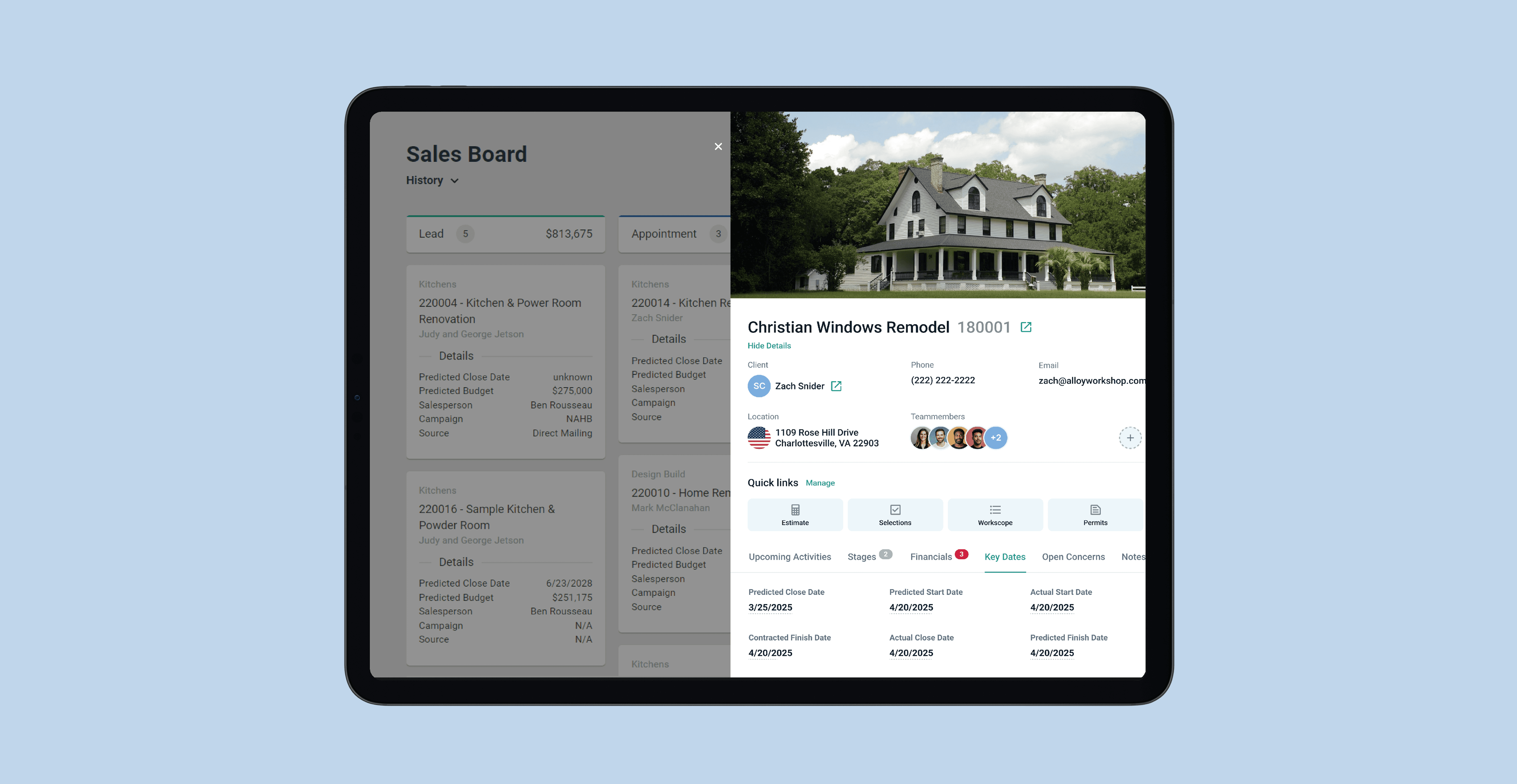
Construction Profit Platform is a B2B web application for US real estate developers. It helps project teams track progress, manage contractors, and control the profitability of construction projects.
Core users are:
Project Managers, responsible for timelines and budgets.
Site Supervisors, responsible for day‑to‑day work on site.
Back‑office coordinators, who support documentation, contracts, and reporting.
I joined the product team to design a set of new flows that would move more of the daily coordination work inside the platform and reduce reliance on email and spreadsheets.
Scope of Work
Context & market
US real estate developers typically manage multiple residential and commercial projects in parallel. Their toolstack is fragmented:
Task tracking and responsibility mapping often live in spreadsheets.
Communication happens in email, messengers, and calls.
Project history is split across PDFs, contracts, and personal notes.
Problem
Out-of-date team structure
Project teams change frequently: subcontractors rotate, responsibilities shift, people move to other projects. The platform did not reflect these changes quickly, so:
tasks remained assigned to the wrong people,
notifications went to inactive team members,
no one trusted the “team” section as a source of truth.
No standardization for recurring workflows
Many workflows repeat from project to project (pre-construction checks, weekly site inspections, safety routines, client handover). In reality, they lived in:
personal Excel checklists,
old project copies,
individual PMs’ memory.
This caused inconsistencies in execution quality between projects and made it hard to scale best practices.
Project context was invisible in the platform
Decisions from calls, risks, client expectations, and site observations were rarely recorded inside the product. They existed in:
notebooks and loose documents,
email threads,
chat messages.
New team members had no way to “read the story” of a project; they had to ask colleagues or search across different tools.
Key product challenges
Make the platform match the real team
Turn recurring workflows into reusable assets
Capture and surface project knowledge over time
Research setup
User interviews
User interviews with 6 project managers, 3 site supervisors, and 2 operations managers from mid-size US development companies, focused on how they currently manage teams, repeatable workflows, and project knowledge.
Platform analytics review
Platform analytics review for existing projects, focused on usage of team settings, task creation patterns, and drop-off points.
Artifact review of external tools
Artifact review of external tools: anonymized Excel checklists, internal guidelines, and email threads used for recurring processes.
Insights
People organize work around workflows, not tools
PMs think in terms of “pre-construction”, “permits”, “site inspections”, “handover”, not “tasks” versus “notes”. Tools should follow these mental models.
Standard checklists exist, but they are personal
Almost every PM or operations lead had their own version of checklists. There was a strong desire to “stop reinventing the wheel” and unify them, but no shared place to store and apply them.
Speed beats structure at the moment of capture
Users were ready to write more notes and keep the platform updated, but only if adding information took seconds and they could do it from the context they were already in (project, task, workflow).
“Official” structures lag behind reality
HR systems and org charts were always out of date for project realities. PMs needed a lightweight project-level view of the actual working team that they could control.
Hypotesis
Make team structure always match reality
Standardize recurring workflows with Shadow templates
Capture decisions through lightweight, contextual notes
Solutions
Edit team members flow
Single team view with quick edits
All project members are shown in one place with roles and responsibility areas, so PMs can see the real working team at a glance and keep it aligned with what actually happens on the project.

Lightweight updates for dynamic teams
Inline edits and a simple confirmation on removal make it easy to adjust team composition as people join, leave, or change responsibilities, which helps keep the platform in sync with reality instead of the static org chart.

Schedule / Shadow templates list flow
Shared library of standard workflows
A list of templates with clear names and one-line descriptions turns personal checklists into a shared, discoverable library of workflows that can be reused across many projects.

Clear entry point to move from spreadsheets into the platform
A prominent “Add New Template” action nudges operations and PMs to formalize new recurring workflows in the product instead of keeping them in external documents.

Template editor flow
Lightweight template editor that people will actually use
The editor focuses on essentials (name, description, basic classification), lowering the barrier for ops and senior PMs to codify their standard processes without getting stuck in overcomplicated configuration.

Tasks as a simple, editable workflow inside the template
Tasks are managed as a straightforward list inside the template, so users can quickly review and refine the full workflow before applying it to real projects, turning “ideas of a process” into concrete, repeatable steps.

Create new task flow
Focused form for clear, actionable tasks
The task form includes only key fields (title, assignee, due date, core attributes), helping teams create tasks that are understandable and executable from the first time, instead of vague items that require extra clarification.

Dates aligned with the project schedule
A date picker tied to real project timelines reduces errors with deadlines and helps PMs keep Shadow workflows and ad-hoc tasks realistically scheduled.

Add notes and notes list flow
Structured notes for important project context
The “Add Note” modal (type, title, content, tags, attachments) encourages users to capture decisions, risks, and client feedback in a structured way that can be searched and reused, not lost in random text.

Project log that can be searched and revisited
The notes list with search and basic filters turns scattered notes into a readable project history, so new team members can quickly reconstruct what happened and why certain decisions were made, without digging through emails and chats.


